Introduction
Video communication has become an important part of modern work, education, business, and personal communication. Instead of traveling to an office, classroom, conference center, or family gathering, people can connect through an internet-based meeting platform from a computer, tablet, or smartphone. Zoom became one of the most widely recognized platforms in this area, but its range of features can make it difficult for a new user to understand where to begin.
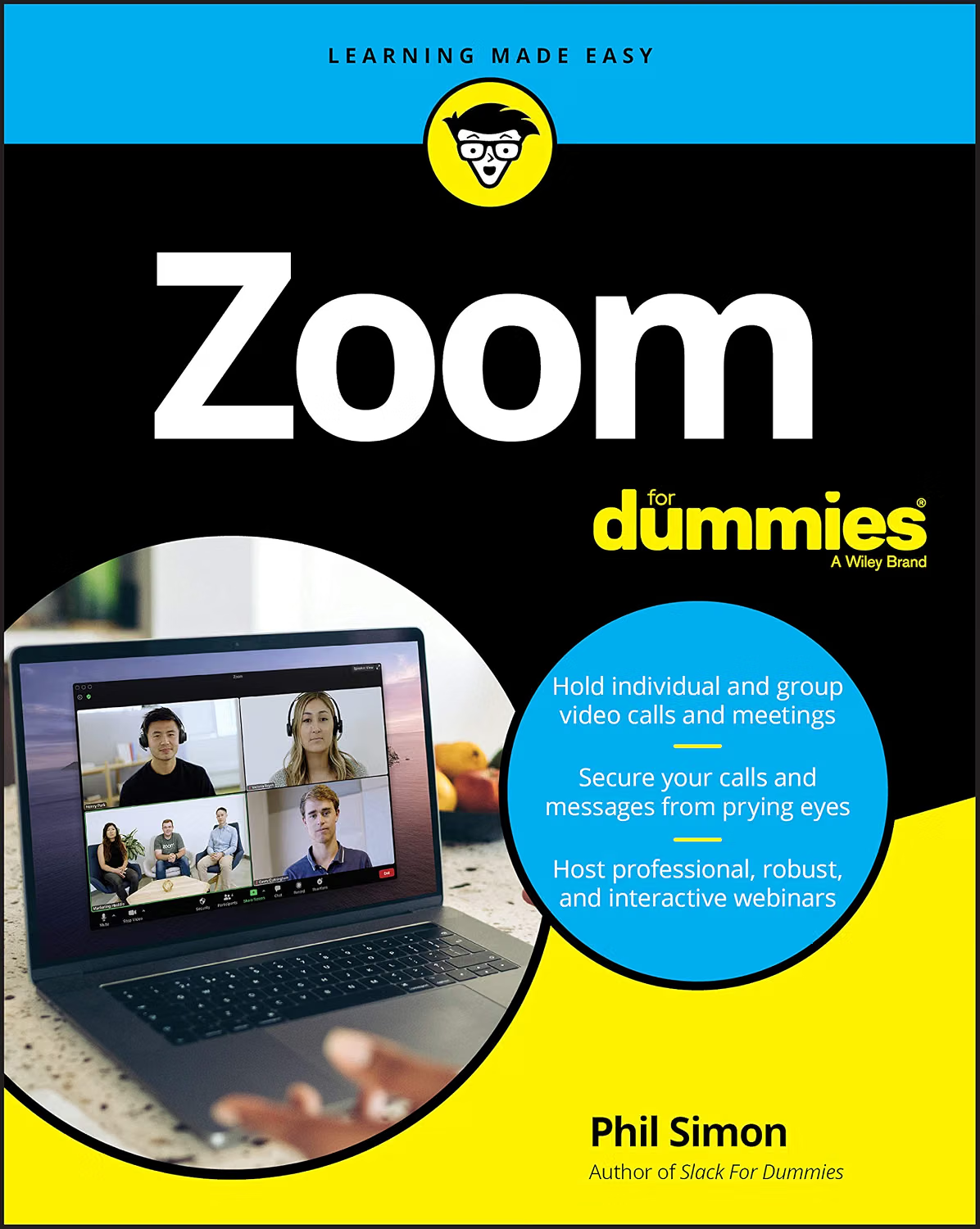
That is the problem addressed by Zoom For Dummies, written by Phil Simon and published by the For Dummies imprint in 2020. The paperback edition associated with ISBN-10 1119742145 and ISBN-13 978-1119742142 is a 400-page introductory technology book designed to explain Zoom and its broader communication tools.
Rather than treating Zoom as simply a way to make video calls, the book explores a wider collection of functions, including meetings, chat, webinars, screen sharing, security practices, third-party applications, Zoom Rooms, and Zoom Phone. Its table of contents moves from basic account and meeting setup toward more advanced organizational uses.
This makes Zoom For Dummies relevant to more than someone who simply wants to join a meeting. A new Zoom user may want to understand how meetings are created and managed, while a small business owner may be interested in collaboration and webinars. A teacher or trainer may need to understand screen sharing and participant management. Someone responsible for technology at an organization may also find the sections about security, integrations, Zoom Rooms, and deployment useful as background information.
One important consideration, however, is the book’s publication date. The print edition was published in 2020, and software platforms can change considerably over several years. Zoom has continued developing its services and interface since the book was released. Therefore, the book is best understood as a structured learning resource for Zoom concepts and workflows rather than a guarantee that every button, menu, subscription option, or feature described will look exactly the same today.
For readers who want a foundation for understanding Zoom, this distinction is useful. The underlying ideas of online meetings, account management, collaboration, security, webinars, and communication remain valuable, while current software instructions should be checked against up-to-date Zoom documentation when necessary.
What Is Zoom For Dummies?
Zoom For Dummies is a technology guide written by Phil Simon and published by John Wiley & Sons under the For Dummies brand. The paperback edition contains 400 pages and was published in August 2020.
The book is structured for beginners but goes beyond the most basic introduction to the platform. Its contents are divided into several broad areas. Early chapters introduce Zoom and its communication tools, followed by instructions and explanations concerning account setup, meetings, contacts, chat, and other functions. Later sections move toward third-party applications, webinars, security, Zoom Rooms, Zoom Phone, organizational adoption, and future developments.
This structure is important because Zoom is not a single-purpose video calling application. Its ecosystem has included multiple communication and collaboration services, and users may interact with different parts of that ecosystem depending on their role.
For someone who has only used Zoom occasionally, the book can provide context for understanding what the different tools are designed to accomplish. Instead of learning individual commands without understanding the larger picture, readers can see how meetings, messaging, webinars, applications, and organizational communication relate to one another.
The book also contains a dedicated section covering common myths and practical tips, along with resources and ideas for using Zoom socially. This broadens the discussion beyond strictly technical instructions.
Key Features and Areas Covered
Meeting Setup and Account Basics
One of the most important subjects for a new Zoom user is getting the initial setup right. Before hosting meetings, users need to understand accounts, roles, meeting options, and the difference between participating in a meeting and managing one.
The book dedicates an entire chapter to setting up Zoom, including first steps, account management, and Zoom roles.
These concepts become increasingly important when Zoom is used in professional environments. A person who only joins meetings may have limited responsibilities, while a meeting host or administrator can have considerably more control over the session.
Understanding this distinction can help users avoid confusion when a feature is available to a host but not to an ordinary participant.
Zoom Meetings
Meetings form the foundation of the Zoom experience. Zoom For Dummies covers getting started with meetings, hosting them, and performing actions while a meeting is in progress.
For beginners, learning the meeting workflow can involve several separate tasks:
- Joining a meeting
- Creating a meeting
- Inviting participants
- Managing audio and video
- Understanding participant controls
- Sharing content
- Communicating through chat
- Handling meeting settings
- Ending a meeting properly
Learning these elements systematically can make online meetings less intimidating, especially for users who are not comfortable with technology.
Screen and Content Sharing
Screen sharing is one of the features that makes video conferencing useful for work and education. Instead of only speaking to participants, a presenter can demonstrate a document, application, presentation, website, or other digital content.
The official For Dummies material specifically highlights screen and file sharing as part of the book’s coverage.
This can be useful for several situations. A teacher might demonstrate software to students. A manager could present information during a team meeting. A technical support employee could explain a process visually. A freelancer might walk a client through a project.
Screen sharing also introduces practical considerations. Users should know exactly what is visible before sharing a desktop, particularly when confidential messages, notifications, personal documents, or other private information may appear on screen.
Zoom Chat and Contacts
Zoom’s communication environment extends beyond video meetings. The book includes material on managing contacts, user status, chatting, searching within Zoom, and working with messaging groups.
This is useful because collaboration does not always require a video call. A short written message may be more appropriate than scheduling a meeting for every question.
Understanding chat and contact management can therefore help users decide when a meeting is necessary and when a message is sufficient.
Webinars
Another major subject covered in the book is Zoom’s webinar functionality. The relevant chapter discusses starting, running, and concluding webinars.
Webinars are different from ordinary meetings because they are generally structured around presentation and audience participation rather than an informal group conversation.
This distinction can matter for organizations that host:
- Online training sessions
- Educational presentations
- Product demonstrations
- Public information sessions
- Professional events
- Large-scale presentations
The book provides an introduction to the concept so readers can understand how webinars fit into Zoom’s broader communication ecosystem.
Third-Party Applications
Modern communication platforms often connect with other applications, and Zoom For Dummies includes a section on Zoom’s App Marketplace and third-party applications.
The practical value of this topic is that users can begin thinking about Zoom as part of a larger technology environment rather than an isolated application.
However, third-party integrations should be approached carefully. Adding an external application may involve permissions, account access, data handling, and administrative considerations. The book itself includes a section about approaching applications carefully, which is particularly relevant for business users.
Security and Privacy
Security is another significant subject. The book dedicates an entire chapter to protecting communications and discusses privacy and security configuration.
This is an important part of learning any communication platform. Video meetings can contain private conversations, company information, educational material, client discussions, or personal information.
Good security habits can include understanding meeting access controls, keeping software updated, using appropriate account settings, and considering who has permission to access recordings or shared information.
Because security practices and platform capabilities can change over time, readers should also consult current Zoom documentation for the latest settings and recommendations rather than relying exclusively on a guide published in 2020.
Zoom Rooms and Organizational Deployment
The book goes beyond individual users by discussing Zoom Rooms and broader organizational adoption.
Zoom Rooms are designed around dedicated meeting spaces rather than a single person using a laptop. This introduces additional considerations involving room equipment, displays, cameras, microphones, and organizational management.
For small businesses, these concepts can help explain what changes when video conferencing becomes part of a company’s physical infrastructure.
Zoom Phone
Another section discusses Zoom Phone and basic calling functionality.
This is relevant because communication platforms can extend beyond video meetings into business calling. A user interested only in video conferencing may not need this information immediately, but understanding the broader platform can help explain why organizations may use multiple Zoom services together.
How Zoom For Dummies Can Be Used
Learning Zoom From the Beginning
The most straightforward use is as a beginner’s learning guide.
Someone who has recently started using Zoom can work through the introductory concepts and gradually move toward more advanced features. This approach can be particularly helpful for people who prefer structured written instructions instead of learning entirely through trial and error.
The book’s beginner classification and extensive table of contents make it possible to focus on particular topics without necessarily treating the book as something that must be read from beginning to end.
Preparing to Host Meetings
There is an important difference between joining a meeting and hosting one. Hosts have additional responsibilities, including managing participants and configuring meeting options.
The book’s dedicated coverage of meeting setup and hosting can help readers understand these responsibilities before organizing their first important online session.
For example, someone preparing for a remote team meeting could use the material to become familiar with meeting controls before the actual event.
Supporting Remote Work
Remote work often involves more than video conversations. Teams may need chat, file sharing, screen sharing, scheduling, and other collaborative tools.
The book approaches Zoom from the broader perspective of communication and collaboration, making it potentially useful for people trying to understand how different features can fit into a remote-work routine.
Supporting Online Education
Teachers, instructors, tutors, and students can encounter many of the same challenges as business users. They need to understand meetings, audio and video controls, screen sharing, chat, and participant interaction.
The book’s coverage of these areas can provide a foundation for learning how video conferencing works in an educational environment.
However, educational institutions may also have specific privacy, accessibility, and administrative requirements. Those requirements should be addressed through the institution’s own policies and current Zoom documentation.
Learning Through Reference Rather Than Linear Reading
A technology book does not always need to be read like a novel.
The chapter structure makes Zoom For Dummies suitable as a reference guide. A reader who already understands meetings could skip introductory material and focus on webinars, applications, security, organizational deployment, or other subjects.
The published contents specifically include sections ranging from basic setup to advanced organizational topics.
Who It May Be Suitable For
Beginners
People who have little experience with Zoom may benefit from having explanations organized in one place. The For Dummies format is designed around making technology topics approachable, and this particular title is classified as a beginner-level resource by O’Reilly.
Remote Workers
Employees who regularly participate in online meetings may want to understand more than simply clicking a meeting link. Learning about chat, meetings, sharing, security, and other functions can provide a broader understanding of the platform.
Small Business Owners
A small business owner may need to organize meetings, communicate with remote employees, present information to clients, or coordinate online events. The organizational chapters provide useful background for considering how Zoom can fit into business communication.
Teachers and Trainers
Instructors can use the concepts discussed in the book to understand meeting workflows, content sharing, webinars, and participant interaction.
Technology Learners
People who enjoy learning how software platforms work may appreciate the book’s broader discussion of Zoom’s ecosystem rather than focusing exclusively on basic meeting controls.
Existing Zoom Users
The book is not necessarily limited to complete beginners. Someone who already knows how to join meetings might use the more advanced chapters as a reference for functions they have not previously explored.
Important Things to Consider
The Book Is From 2020
This is probably the most important consideration for a prospective reader.
The paperback edition was published in 2020, and the technology industry changes rapidly. Zoom has introduced, renamed, redesigned, expanded, or retired features over time.
As a result, a reader should distinguish between learning a concept and following an exact modern interface instruction.
For example, the general idea of scheduling a meeting remains understandable even if the exact location of a setting has changed.
Current Zoom Features May Differ
The book explains Zoom as it existed during its publication period. Current Zoom plans, interface elements, account types, integrations, security controls, and product names may differ.
When a current feature is important, it is sensible to verify the latest information through Zoom’s official documentation.
Subscription Plans Can Change
Software companies frequently change their plans and feature availability. A function discussed in an older book may now require a different account level, may be available differently, or may no longer exist in the same form.
Readers should therefore avoid assuming that a feature described in the book is automatically available under every current Zoom account.
Security Requires Ongoing Attention
Security should not be treated as a one-time setup task. Software changes, organizational requirements, and security recommendations can evolve.
The book provides a useful foundation by dedicating a chapter to security and privacy, but current security guidance should take priority when making real-world decisions.
Different Users Have Different Needs
A person joining occasional family calls does not need the same knowledge as a company administrator managing a large communication environment.
The breadth of the book can therefore be both useful and unnecessary depending on the reader’s goals. Someone who only needs basic meetings may not need to study every organizational feature.
Comparing General Categories of Zoom Learning Resources
Printed Guide vs. Official Online Documentation
A printed book offers structure. Readers can follow chapters, bookmark pages, and develop a conceptual understanding of the platform.
Official online documentation has a different advantage: it can be updated as the software changes.
For learning fundamentals, a structured book can be convenient. For current button locations, feature availability, security settings, and account-specific information, current online documentation is generally more appropriate.
Comprehensive Guide vs. Short Tutorial
A short tutorial can be ideal when someone needs to solve one immediate problem, such as joining a meeting or sharing a screen.
A comprehensive guide serves a different purpose. It can explain how individual features fit together and introduce capabilities that a user may not know exist.
Zoom For Dummies falls closer to the comprehensive-guide category because its contents cover meetings, chat, webinars, applications, security, Zoom Rooms, Zoom Phone, organizational adoption, and other subjects.
Book vs. Video-Based Learning
Some people learn software more easily by watching someone demonstrate each step. Others prefer written instructions that they can revisit.
A book can be particularly useful when a reader wants to pause, review a concept, or look up a topic later. Video tutorials can be more visually intuitive for interface-specific tasks.
Using both approaches can be practical: a book for concepts and structured learning, and current video or online documentation for interface changes.
Beginner Guide vs. Advanced Technical Documentation
Technical documentation may contain precise information but can sometimes assume that readers already understand the platform.
A beginner-oriented guide approaches the subject differently by explaining terminology and workflows in a more accessible sequence.
Zoom For Dummies is positioned toward beginners, while its later chapters provide a broader introduction to organizational and advanced topics.
Practical Tips for Learning Zoom
A reader can get more value from a guide like this by practicing instead of simply reading.
Start with the basic workflow. Learn how to join a meeting, manage the microphone, control the camera, use chat, and leave a meeting.
Next, practice hosting a private test meeting. This allows you to become familiar with participant controls, sharing, and other meeting functions without putting an important business or educational event at risk.
Screen sharing deserves particular attention. Before sharing, close unrelated applications and check whether notifications or private information could become visible.
It is also useful to learn the difference between features controlled by an individual user and features controlled by an organization’s administrator. This distinction can explain why two people using Zoom may see different options.
Finally, treat security as part of normal meeting preparation. Keep software updated, understand who has access to meetings and recordings, and review current settings when organizing sensitive conversations.
Frequently Asked Questions
What is Zoom For Dummies?
Zoom For Dummies is a beginner-oriented technology book by Phil Simon that explains Zoom’s communication and collaboration tools. The book covers subjects including meetings, chat, webinars, third-party applications, security, Zoom Rooms, Zoom Phone, and organizational adoption.
Who wrote Zoom For Dummies?
The book was written by Phil Simon, an author, technology authority, consultant, trainer, and speaker whose work includes other technology-focused books.
How many pages does the paperback edition have?
The paperback edition contains 400 pages. The ISBN-10 associated with the print edition is 1119742145, while the ISBN-13 is 9781119742142.
Is Zoom For Dummies suitable for beginners?
Yes. The book is specifically categorized as a beginner-level resource by O’Reilly, and its early chapters introduce account setup, meetings, chat, and other fundamental concepts.
Does the book only explain video meetings?
No. Although meetings are an important part of the book, its coverage extends to chat, webinars, third-party applications, security, Zoom Rooms, Zoom Phone, organizational adoption, and other communication topics.
Can the book help someone learn how to host Zoom meetings?
It can provide background and instructions concerning meeting setup and hosting. The contents specifically include getting started with meetings, hosting meetings, and performing actions during meetings.
Does the book discuss Zoom security?
Yes. A dedicated chapter covers protecting communications, putting Zoom’s security challenges into context, configuring privacy and security, and considering future developments.
Is everything in the book still current?
Not necessarily. The book was published in 2020, so current Zoom interfaces, plans, features, and policies may differ.
The book can still be useful for understanding concepts and workflows, but current Zoom documentation should be consulted for up-to-date feature information.
Does Zoom For Dummies cover webinars?
Yes. The book contains a chapter dedicated to connecting with larger audiences through webinars, including getting started, running a webinar, and concluding one.
Does it cover Zoom Phone?
Yes. One chapter introduces Zoom Phone and reviews its basic features.
Does it cover Zoom Rooms?
Yes. The organizational section includes a chapter dedicated to Zoom Rooms and setting up a Zoom Room.
Is there an electronic edition?
Yes. An electronic edition exists with ISBN-13 9781119742159, while the print edition uses ISBN-13 9781119742142.
Can someone use this book without being a technology expert?
The book is intended for beginners, so it does not require advanced technical knowledge as a starting point. Its purpose is to make the platform and its features more understandable to ordinary users.
Should readers rely on the book for current Zoom security advice?
The book can provide useful background about security concepts, but current security recommendations should be checked against Zoom’s latest official guidance. This is especially important because the book was published several years ago.
Conclusion
Zoom For Dummies provides a broad introduction to Zoom and the different ways the platform can be used for communication and collaboration. Written by Phil Simon and published in 2020, the 400-page guide covers much more than joining a video meeting. Its contents extend from account setup and meetings to chat, webinars, third-party applications, security, Zoom Rooms, Zoom Phone, and organizational adoption.
Its main educational value comes from presenting Zoom as a larger communication ecosystem rather than simply a video calling application. That perspective can be helpful for beginners, remote workers, educators, small businesses, and other users who want to understand how different communication functions fit together.
At the same time, the publication date should remain part of the reader’s evaluation. Software platforms evolve, and Zoom’s current interface, subscription structure, integrations, and security controls may not match the descriptions found in a book published in 2020. The most practical approach is therefore to use Zoom For Dummies for foundational knowledge and structured learning while checking current official resources whenever a task depends on today’s exact features or settings.
For readers interested in learning the fundamentals of Zoom in a structured format, the book offers a broad starting point.
Leave a Reply