Introduction
Managing business finances involves much more than recording how much money comes in and goes out. Small business owners, freelancers, managers, bookkeepers, and accountants may need to organize customer information, record sales, track expenses, reconcile bank accounts, manage invoices, monitor inventory, prepare reports, and coordinate financial information with other people.
Cloud accounting software can bring many of these activities into one digital environment, but learning how to use accounting software effectively can still take time. Menus, account types, transaction workflows, reports, payroll functions, and integrations can be unfamiliar to someone who does not work with bookkeeping every day.
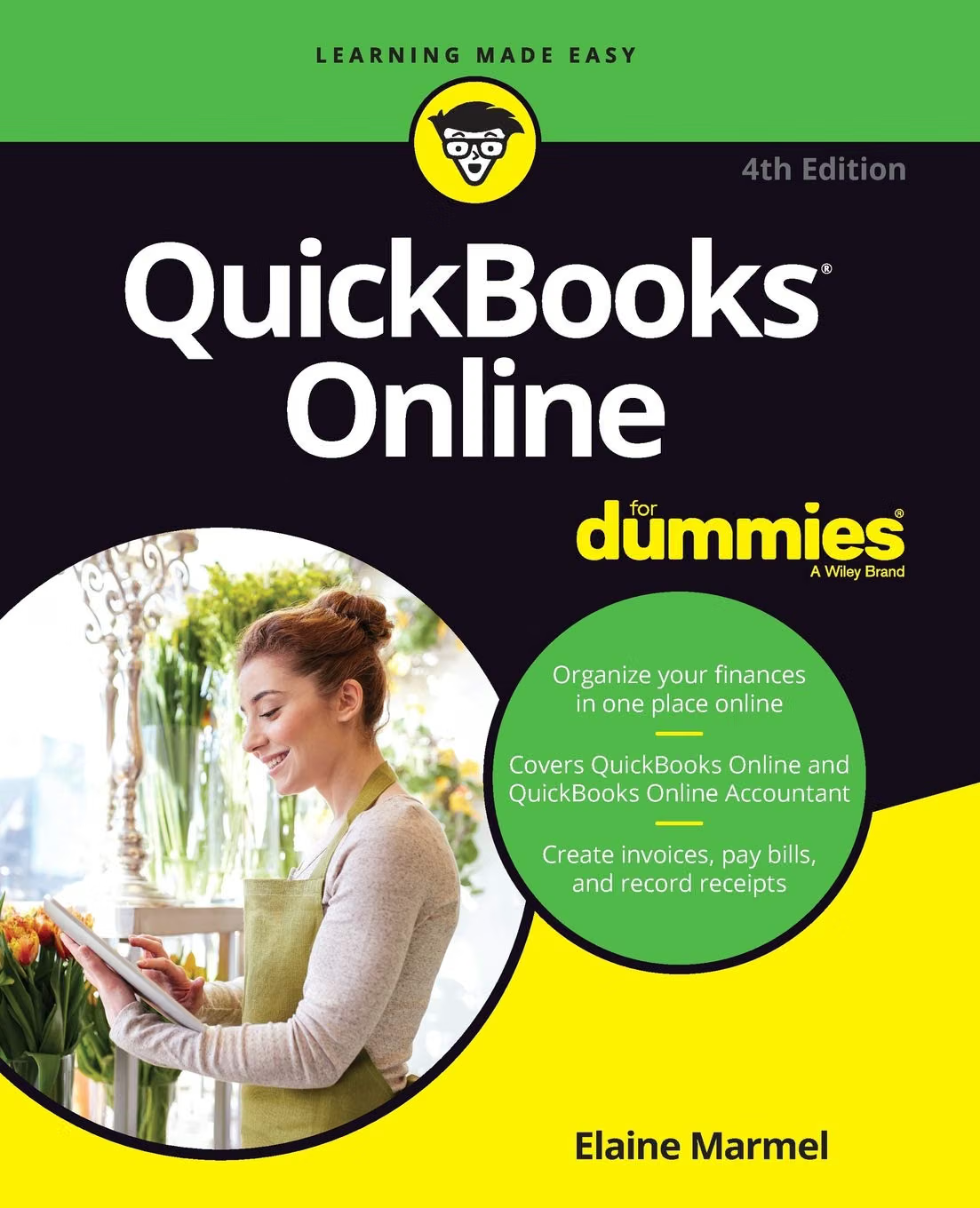
QuickBooks Online For Dummies (For Dummies (Computer/Tech)) is designed to provide a structured introduction to QuickBooks Online and its accounting workflows. The specific Amazon-linked edition is the fourth edition by Elaine Marmel, published in 2018. It is a 416-page English-language paperback with ISBN-10 1119473934 and ISBN-13 9781119473930.
The book covers a broad range of accounting activities. Its contents include creating a QuickBooks Online company, managing lists and accounts, handling money flowing into and out of a business, payroll, banking, reconciliations, reports, and working with accountants. It also addresses QuickBooks Online Accountant and data conversion from QuickBooks Desktop.
That breadth makes the book potentially useful as a learning reference, particularly for people who are new to QuickBooks Online or who want to understand the basic structure of cloud-based bookkeeping.
There is an important consideration, however: this particular edition is from 2018. QuickBooks Online has changed considerably over the years, and newer editions of QuickBooks Online For Dummies have been published since then. The 2026 edition, for example, covers newer areas such as Project Center and AI integration and was published in November 2025.
Consequently, the 2018 edition should be viewed primarily as a foundational learning resource rather than a current manual for every feature available in QuickBooks Online today. Readers working with the current version of the software should verify current menus, workflows, subscription features, tax functionality, and integrations using up-to-date QuickBooks resources.
What Is QuickBooks Online For Dummies?
QuickBooks Online For Dummies is a technology and accounting guide written by Elaine Marmel. The edition associated with ISBN-10 1119473934 is the fourth edition, published in March 2018. It contains 416 pages and was published under the For Dummies brand.
The book is intended to make QuickBooks Online easier to understand by organizing its major functions into practical sections.
The contents are divided into several broad areas:
- Getting started with QuickBooks Online and QuickBooks Online Accountant
- Managing books for the end user
- Creating and configuring a company
- Managing list information
- Handling money going out of the business
- Managing money coming into the business
- Banking and credit-card transactions
- Payroll
- Financial reporting
- Accountant workflows
- Client management
- Data conversion
- Productivity tips and shortcuts
The original edition also explains concepts such as cloud computing, subscriptions, payroll requirements, switching from QuickBooks Desktop, third-party applications, multiple currencies, chart of accounts management, invoices, expenses, bank transactions, and reconciliation.
This makes it more than a simple introduction to clicking around the QuickBooks interface. It provides a framework for understanding how the different parts of an accounting system fit together.
Key Features and Learning Areas
Getting Started With QuickBooks Online
Beginning with accounting software can feel complicated because the software needs information about the business before transactions can be recorded correctly.
The book introduces the process of creating a QuickBooks Online company and establishing company settings. It also discusses signing up, understanding the dashboard, configuring accounts, and working with the chart of accounts.
These early steps matter because accounting records depend on consistent setup.
For example, if income and expenses are assigned to inappropriate accounts, reports may become difficult to interpret later. Learning the purpose of the chart of accounts and other basic settings can therefore help users establish better bookkeeping habits from the beginning.
Understanding Cloud Accounting
One of the defining characteristics of QuickBooks Online is that it is cloud-based.
Instead of installing a traditional desktop accounting application and keeping the primary working environment on one computer, users access the online service through an internet connection.
The book introduces the concept of cloud accounting and discusses considerations surrounding the move to a cloud-based system.
For business owners, this can change how financial information is accessed and shared. A business owner may work with an accountant remotely, while employees can potentially access relevant records according to the permissions assigned to them.
However, cloud accounting also makes account security, user permissions, authentication, and data-management practices important considerations.
Managing the Chart of Accounts
The chart of accounts provides the structure used to classify financial transactions.
A business may have accounts for income, operating expenses, assets, liabilities, equity, and other categories.
Understanding this structure is fundamental to producing meaningful financial reports.
The book’s introductory material includes updating and working with the chart of accounts, making this an important part of the learning process.
For someone new to bookkeeping, the chart of accounts can initially appear abstract. Once the relationship between transactions and financial reports becomes clearer, however, it becomes easier to understand why accurate categorization matters.
Recording Sales and Customer Transactions
Businesses need a consistent way to record money received from customers.
The book covers the inflow of money and includes subjects related to invoices, credit memos, customer transactions, and accounts receivable.
A typical workflow might involve creating an invoice, recording the customer’s payment, and ensuring that the payment is associated with the correct account.
For a service business, this could involve invoicing a client after completing a project. For a retail business, sales may be recorded through a different workflow.
The exact process depends on how the business operates and how its QuickBooks account is configured.
Tracking Expenses and Money Going Out
Recording expenses is another core accounting activity.
A business may have expenses involving rent, utilities, software subscriptions, advertising, equipment, transportation, supplies, professional services, and other operational costs.
The book covers the handling of money flowing out of the business, including expenses, checks, bills, and credit-card charges.
Understanding the distinction between different types of transactions is useful because recording an expense is not always the same as recording a bill that will be paid later.
The timing of a transaction can affect how it appears in the accounting records, which is one reason bookkeeping workflows require consistency.
Banking and Reconciliation
Banking is one of the most important areas of practical bookkeeping.
QuickBooks Online can work with bank and credit-card information, allowing users to review transactions and reconcile records.
The book includes material covering bank and credit-card transactions and account reconciliation.
Reconciliation involves comparing accounting records with information from financial institutions and investigating differences.
This can help identify issues such as:
- Missing transactions
- Duplicate entries
- Incorrect amounts
- Transactions assigned to the wrong account
- Timing differences
- Unrecorded fees
- Other discrepancies
The purpose is not simply to make two numbers match. Reconciliation can help establish greater confidence that the accounting records reflect the underlying financial activity.
Payroll
Payroll introduces additional complexity because employee compensation can involve wages, deductions, taxes, reporting requirements, and payment schedules.
The book includes coverage of payroll and paying employees.
For a small business owner, understanding the accounting side of payroll can be useful even when payroll processing is handled by a dedicated service or accountant.
At the same time, payroll and tax rules vary by jurisdiction and can change over time. A book published in 2018 should not be treated as a current source for payroll regulations.
Inventory Management
Inventory is another area covered by QuickBooks Online resources and the broader book ecosystem.
Businesses that sell physical products may need to track quantities, purchasing, sales, and inventory-related accounting.
Inventory management becomes more complicated as product catalogs grow. Businesses may also use specialized inventory systems or integrations.
The 2018 edition introduces inventory-related functionality, while newer editions continue to address inventory and purchase orders.
Financial Reports
Financial reports transform individual transactions into information that can be used for decision-making.
The book discusses generating income statements and financial reports.
Reports can help business owners examine areas such as revenue, expenses, profitability, balances, and other financial information.
However, a report is only as useful as the underlying data. Incorrect account classifications, missing transactions, or unreconciled accounts can reduce the usefulness of financial analysis.
This is why bookkeeping fundamentals and reporting are closely connected.
Working With Accountants
One of the practical advantages of online accounting systems is that financial information can be shared with accounting professionals.
The book includes dedicated material for accountants and QuickBooks Online Accountant workflows. Its contents cover adding companies to an accountant client list, exploring client companies, working inside client companies, and using accountant tools.
This can be particularly relevant for small businesses that manage day-to-day transactions themselves but work with an accountant for financial review, tax preparation, or other professional services.
QuickBooks Desktop Conversion
Businesses moving from desktop accounting software may need to consider how existing data will be transferred.
The book includes an appendix addressing QuickBooks Online, QuickBooks Desktop, and data conversion.
Migration is an area where planning is important. Historical records, account mappings, customers, vendors, transactions, and other information may need to be reviewed.
The exact migration process can change as software versions evolve, so current conversion documentation should be consulted before undertaking a real migration.
How It Can Be Used
Learning the Basics of Bookkeeping Software
One of the most straightforward uses for the book is learning how an online accounting platform is organized.
Someone new to QuickBooks Online can use the chapters to become familiar with company setup, accounts, customers, vendors, transactions, banking, and reports.
Rather than attempting to understand every feature simultaneously, a reader can approach the material according to the needs of the business.
Setting Up a Small Business Accounting Workflow
A small business owner may use the book to understand the sequence involved in establishing accounting records.
That can include:
- Creating the company profile
- Reviewing account settings
- Establishing the chart of accounts
- Adding customers and vendors
- Connecting or managing financial accounts
- Recording income and expenses
- Reconciling transactions
- Reviewing reports
The exact setup depends on the business structure and accounting requirements.
Learning How Transactions Flow Through the System
Accounting software can seem easier to understand when users recognize that individual actions contribute to larger financial records.
For example, an invoice is not merely a document sent to a customer. It can also create an accounts-receivable balance and later be affected when payment is received.
Similarly, a bank transaction is not simply an entry in a bank feed. It needs to be categorized and reconciled appropriately.
Thinking in terms of transaction flow can help users understand why accounting software has multiple connected screens and workflows.
Preparing for Conversations With an Accountant
A business owner does not need to perform every accounting task personally.
However, understanding the basic vocabulary can make conversations with an accountant more productive.
A business owner who understands terms such as reconciliation, accounts receivable, chart of accounts, expenses, payroll, and financial statements can better explain questions and understand professional recommendations.
Supporting Remote Bookkeeping
Because QuickBooks Online is cloud-based, bookkeeping can be performed in an environment designed for online access.
This can be relevant to businesses where the owner, bookkeeper, and accountant are located in different places.
The book’s discussion of QuickBooks Online and QuickBooks Online Accountant provides context for this collaborative approach.
Who It May Be Suitable For
Small Business Owners
Small business owners often have to understand financial records even when accounting is not their primary profession.
A structured guide can help them become more familiar with the software used to organize those records.
Freelancers and Independent Professionals
Freelancers may need to track client invoices, business expenses, payments, and financial reports.
A basic understanding of accounting software can help create a more consistent bookkeeping routine.
Bookkeeping Beginners
Someone starting a bookkeeping role may find the book useful as an introductory reference.
It explains many of the core workflows that appear in day-to-day accounting software use.
Administrative Employees
Employees who handle invoices, expenses, payments, or other financial administration may need to understand how their work affects the accounting system.
Aspiring Accountants and Bookkeepers
The book can provide an introduction to QuickBooks Online terminology and workflows before deeper accounting or software-specific training.
Business Owners Working With Accountants
Even when an accountant handles complex accounting and tax matters, a business owner may benefit from understanding how the underlying records are organized.
Important Things to Consider
The Amazon-Linked Edition Is From 2018
This is the most important point when considering this particular edition.
The ISBN 1119473934 identifies the fourth edition published in 2018.
QuickBooks Online has changed significantly since then. Interface elements, subscription tiers, integrations, automation, reports, payroll functions, and other features may differ.
For someone learning the current version of QuickBooks Online in 2026, a newer edition may contain more current instructions.
Newer Editions Exist
The publisher has released newer editions of QuickBooks Online For Dummies. The 2026 edition, written by David H. Ringstrom, was published in November 2025. It includes newer subjects such as Project Center and AI integration, along with updated interface and feature information.
This does not make the older edition irrelevant. Foundational accounting concepts remain useful, but readers should distinguish between enduring accounting principles and instructions tied to an older version of the software.
Accounting Rules Change
Tax requirements, payroll rules, reporting standards, and government regulations can change.
A general software guide should not be treated as a substitute for current tax guidance or professional accounting advice.
This is particularly important when dealing with tax returns, payroll, sales tax, or other regulated financial activities.
Software Interfaces Change
Screenshots and step-by-step instructions can become outdated when software interfaces are redesigned.
A reader may understand what a feature is supposed to accomplish but find that the relevant button or menu is located somewhere else in the current interface.
This is a normal limitation of printed software manuals.
Subscription Features Can Differ
QuickBooks Online has different product configurations and subscription levels, and features can vary.
The book discusses subscriptions and related functionality, but readers should verify current availability through Intuit’s current product information before assuming that a particular feature is included in their account.
Data Accuracy Matters
Accounting software can organize financial information, but it cannot automatically guarantee that every transaction is recorded correctly.
Users still need appropriate bookkeeping procedures.
A business should establish consistent rules for categorization, reconciliation, documentation, and review.
Comparing General Categories of Accounting Learning Resources
Printed QuickBooks Guide vs. Online Help
A printed guide provides a structured learning sequence and can be convenient for studying away from the software.
Online help has the advantage of being easier to update as software changes.
For a current interface question, online documentation is generally more appropriate. For learning the broader workflow, a structured book can provide useful context.
Beginner Guide vs. Accounting Textbook
A QuickBooks guide focuses on using software to perform accounting-related tasks.
An accounting textbook generally spends more time explaining accounting principles, financial statements, double-entry bookkeeping, and conceptual foundations.
Someone learning accounting from the beginning may need both types of resources.
Software Guide vs. Professional Accounting Advice
A software guide can explain how a feature works.
It cannot determine the correct tax treatment of a complex transaction for a particular business or jurisdiction.
When financial or tax consequences are significant, professional advice and current official guidance may be appropriate.
Older Edition vs. Current Edition
Older editions can still provide useful explanations of fundamental workflows.
Current editions are generally more relevant when the goal is to follow the latest interface and features.
For the specific Amazon-linked 2018 edition, readers should be particularly aware of this distinction because QuickBooks Online has continued to evolve.
Practical Learning Approach
A useful way to study accounting software is to practice with a controlled example rather than immediately changing important business records.
For example, a learner could create a conceptual sample business and think through a simple cycle:
A customer receives an invoice. The invoice creates an amount due. The customer later pays. The payment is recorded. The bank transaction appears in the financial records. The account is reconciled. Finally, the resulting information appears in a financial report.
This simple scenario connects several different parts of an accounting system.
The same approach can be used for expenses. Consider a business that receives a bill from a supplier, records the obligation, pays it later, and then reconciles the bank transaction.
Once the relationship between these stages becomes clear, the software’s menus and forms are easier to understand.
Another useful habit is to distinguish between learning the software and learning accounting itself. The first question is “How do I enter this transaction?” The second is “What kind of transaction is this, and how should it affect the financial records?”
Both questions matter.
Frequently Asked Questions
What is QuickBooks Online For Dummies?
It is a guide to using QuickBooks Online for business accounting and bookkeeping tasks. The Amazon-linked edition is the fourth edition written by Elaine Marmel and published in 2018.
Who wrote the Amazon-linked edition?
The edition associated with ISBN-10 1119473934 was written by Elaine Marmel.
How many pages does this edition have?
The fourth edition contains 416 pages.
What is the ISBN?
The ISBN-10 is 1119473934, and the ISBN-13 is 9781119473930.
When was this edition published?
The fourth edition was published in March 2018.
Does the book explain how to create a QuickBooks Online company?
Yes. Company creation and setup are included in the book’s contents, including company settings and initial configuration.
Does it cover invoices?
Yes. The book covers invoicing and customer-related transactions as part of its discussion of money coming into the business.
Does it explain expenses?
Yes. The book includes workflows involving expenses, checks, bills, and credit-card charges.
Does it cover payroll?
Yes. Payroll and paying employees are among the accounting functions addressed by the book.
Does the book discuss bank reconciliation?
Yes. Banking, credit-card transactions, and account reconciliation are included in the book’s coverage.
Can it help with financial reports?
Yes. The book includes material on generating financial reports and understanding business financial information.
Does it cover QuickBooks Online Accountant?
Yes. The book contains dedicated sections dealing with QuickBooks Online Accountant and accountant workflows, including client companies and accountant tools.
Does it explain moving from QuickBooks Desktop?
Yes. The edition includes an appendix addressing QuickBooks Online, QuickBooks Desktop, and data conversion.
Is this edition current for 2026?
No. The Amazon-linked edition is from 2018. QuickBooks Online has changed since then, and newer editions have been released. The 2026 edition was published in November 2025 and covers newer functionality.
Can an older QuickBooks guide still be useful?
Yes, particularly for learning fundamental accounting workflows and terminology. However, current interface instructions and feature availability should be verified against current QuickBooks resources.
Is the book a replacement for an accountant?
No. A software guide explains how accounting software can be used, but it does not replace professional accounting or tax advice.
Can beginners use the book?
The book is structured as a For Dummies technology guide and covers fundamental setup and bookkeeping workflows, making it relevant to people learning QuickBooks Online.
Does QuickBooks Online work entirely offline?
QuickBooks Online is a cloud-based service, so access depends on the online service and an internet connection. The book specifically introduces the cloud-based nature of the platform.
Does the book cover multiple currencies?
Yes. Multiple-currency functionality is included among the subjects discussed in the book’s setup material.
Does it cover third-party applications?
Yes. The book discusses where add-on applications fit into QuickBooks Online.
Conclusion
QuickBooks Online For Dummies (For Dummies (Computer/Tech)) provides a structured introduction to QuickBooks Online and the bookkeeping workflows surrounding it. The specific edition associated with the Amazon product link is Elaine Marmel’s fourth edition, published in 2018, with 416 pages and ISBN-10 1119473934.
Its coverage extends across many of the activities that small businesses encounter in everyday financial administration: company setup, chart of accounts, customers, invoices, expenses, banking, reconciliation, payroll, inventory, reports, and accountant collaboration.
The book can be useful for someone who wants to understand how the pieces of an online accounting system fit together. It can also provide a vocabulary for communicating with bookkeepers and accountants and a framework for learning basic QuickBooks workflows.
The publication date is an important consideration. QuickBooks Online is continually updated, and newer editions of the For Dummies series now cover functionality that did not exist in the 2018 edition. The current 2026 edition, for example, addresses newer areas such as Project Center, AI integration, updated workflows, spreadsheet tools, and other features.
For that reason, the 2018 edition is most appropriately viewed as a foundational reference rather than a definitive guide to the current QuickBooks Online interface. Readers dealing with current tax requirements, payroll regulations, subscription features, or important financial records should verify information using current official resources and, when appropriate, qualified accounting professionals.
For readers who want to explore the edition associated with the Amazon listing and learn more about its approach to QuickBooks Online,
Leave a Reply